
Managing small projects can often feel like juggling multiple balls in the air. Whether you’re a freelancer handling various client assignments or someone managing personal projects, staying organized and focused is key to success. Planndu is designed to simplify this process, offering a suite of features to help you stay on top of your tasks efficiently. Here’s how you can leverage these features to manage your small projects better.
Checkboxes
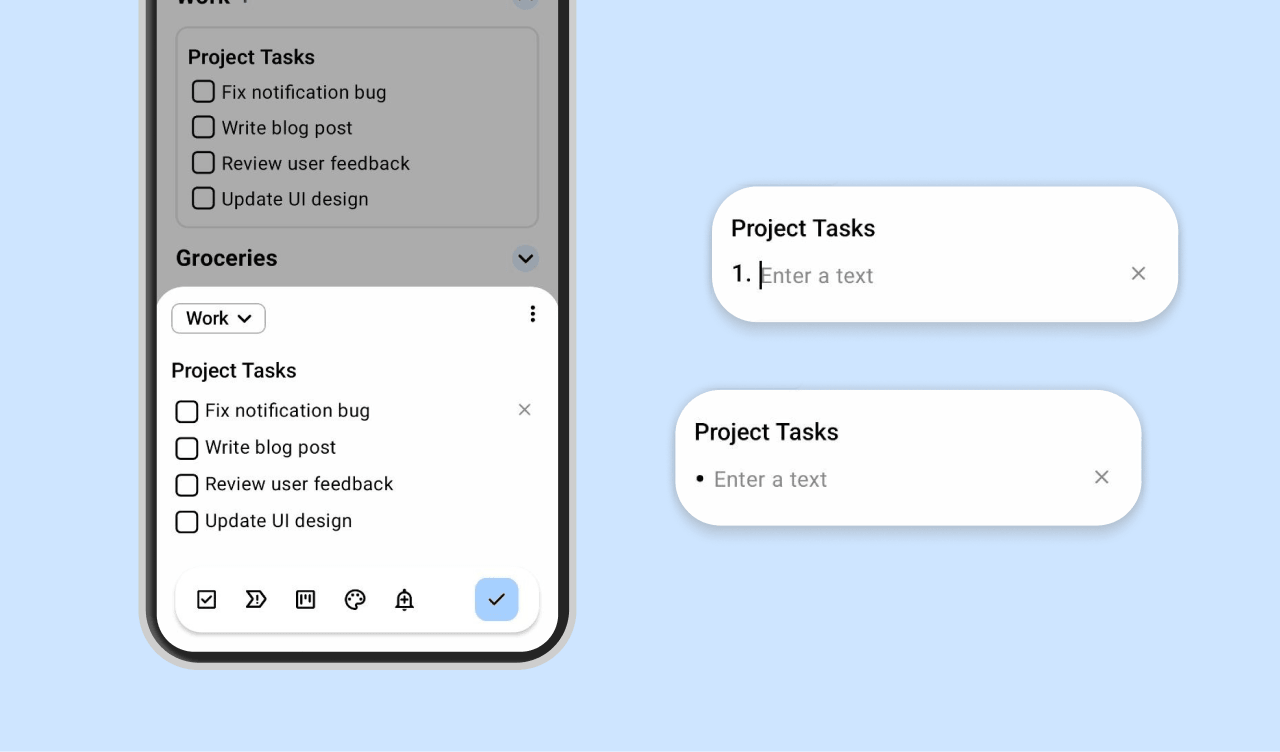
Checklists are a simple tool for breaking down tasks into smaller, manageable steps. Planndu’s checkbox feature lets you create checklists within functions. This not only makes tasks seem less daunting but also gives you a sense of accomplishment as you check off each item.
How to Find It: While creating or editing a task, use the check box option to insert checkboxes for subtasks. You can also add numbers (write the number, a dot, and a space) and bullets (write * and space).
Set Status and Priority
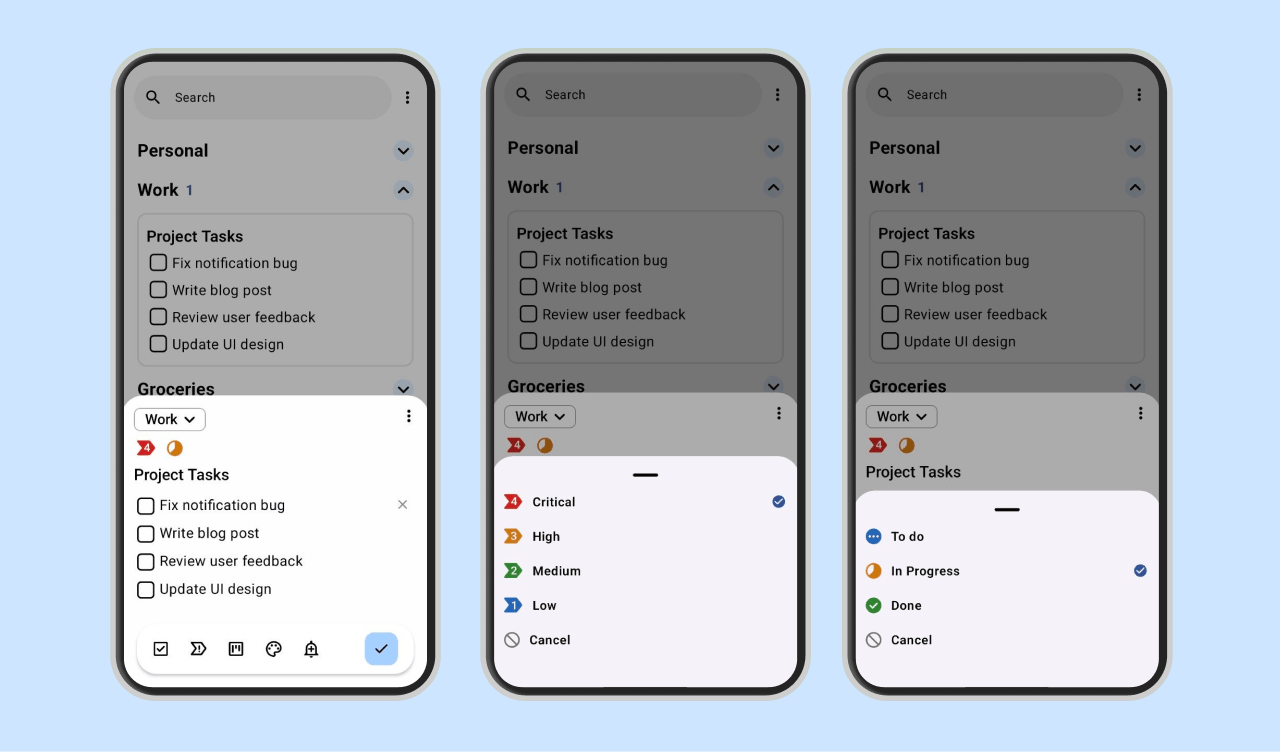
Not all tasks are created equal. Some require immediate attention, while others can wait. Planndu lets you set the status and priority for each task, helping you focus on what’s most important. Use the priority setting to differentiate between urgent and non-urgent tasks. This way, you can tackle high-priority tasks first and avoid the stress of last-minute rushes.
How to Find It: When creating or editing a task, you’ll see on bottom bar icons of status (e.g., In Progress, Done) and priority (e.g., High, Medium, Low).
Reminders
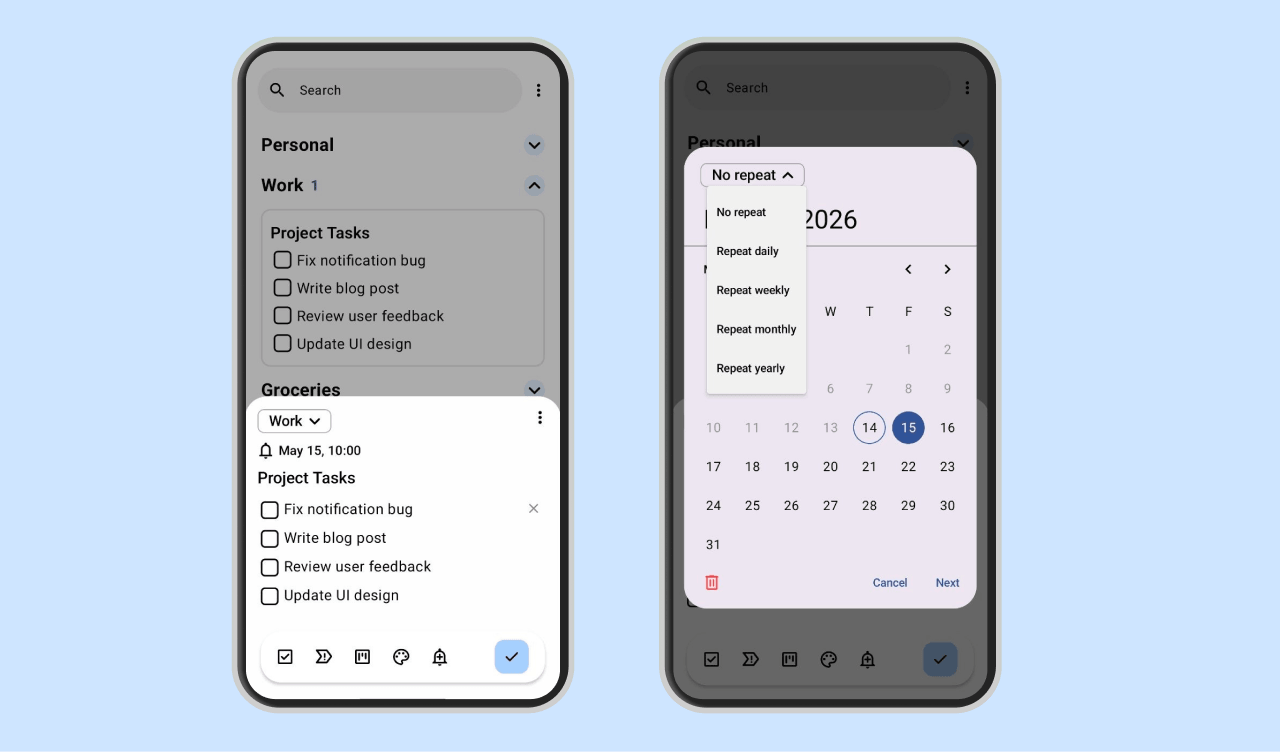
Reminders are essential for keeping track of deadlines and regular tasks. Planndu allows you to set one-time reminders and repeat reminders for recurring tasks. Set repeat reminders for tasks you perform regularly, like submitting weekly reports or conducting monthly reviews. This ensures you never miss a beat.
How to Find It: In the task creation, you’ll find an option to set a reminder (bell icon). There, you can add a date and time, and you’ll also find an option to set a repeat schedule at the top of the popup.
Manage Task Groups
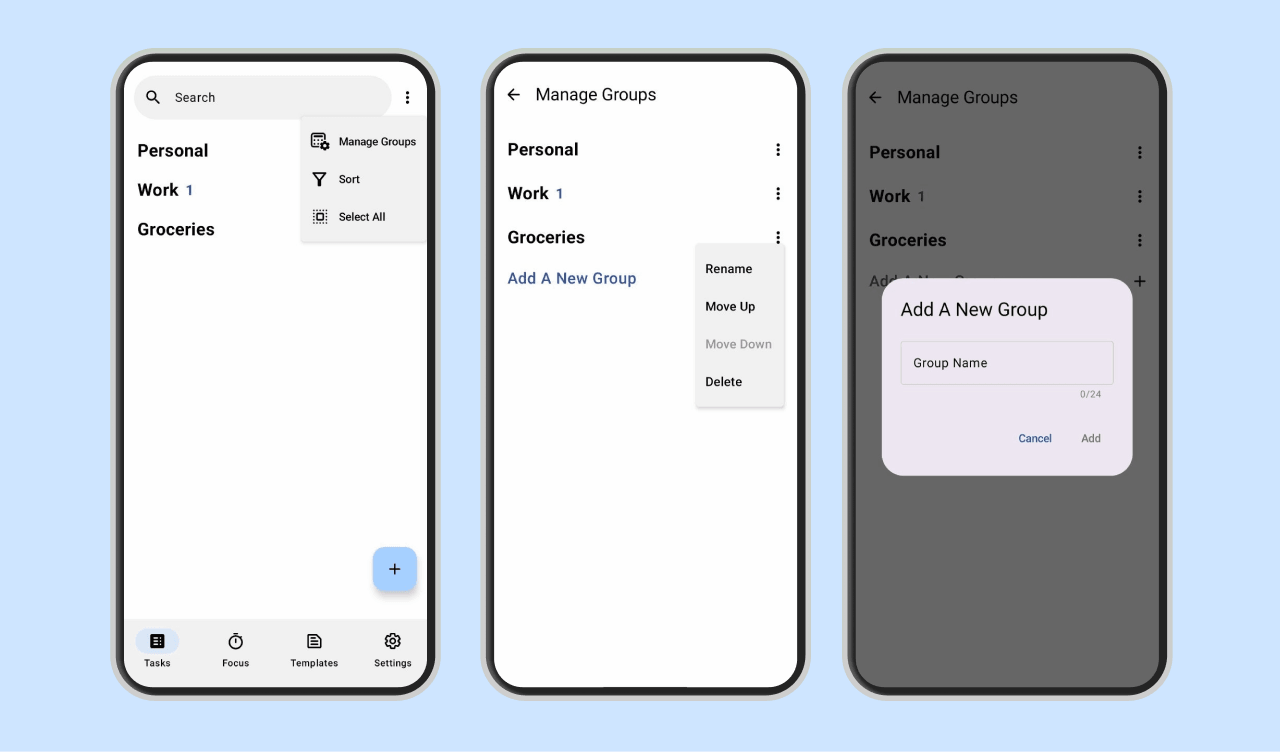
Keeping your projects organized becomes much easier when your tasks are grouped. Planndu allows you to create custom task groups so you can arrange projects, categories, and workflows in a way that fits your routine. Whether you separate work, personal goals, study plans, or side projects, task groups help you stay focused and quickly find what you need.
How to Find It: In the task screen, open the options menu and select ‘Manage Groups.’ From there, you can create new groups, edit existing ones, rename them, and organize your projects however you want.
Pomodoro Focus Timer
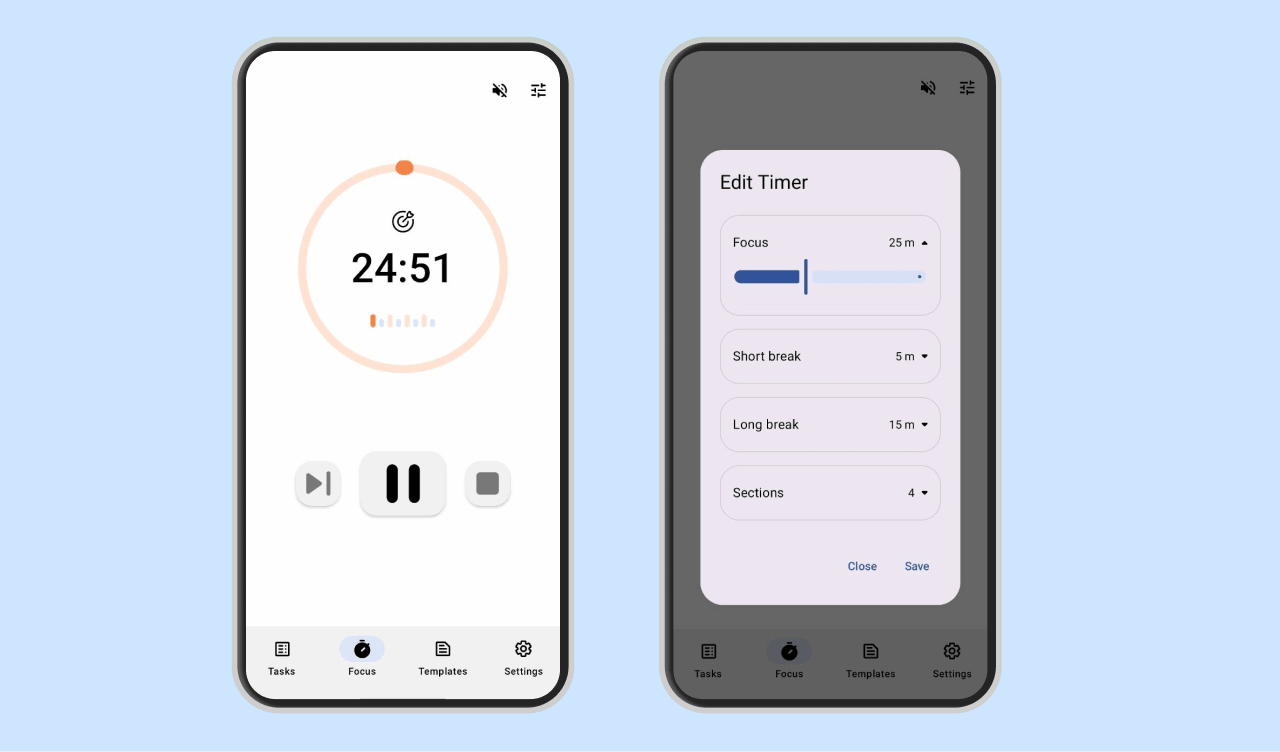
The Pomodoro Technique is a time management method that breaks work into intervals, traditionally 25 minutes long, separated by short breaks. Planndu allows you to customize these intervals to fit your working style. Adjust the Pomodoro timer to match your attention span. If you find that you work best in 30-minute bursts, set your timer accordingly. This flexibility can help you maintain productivity throughout the day.
How to Find It: Navigate to the bottom bar of the app and select the Pomodoro timer option. Customize your focus by clicking on the timer and adjusting the focus and break intervals to your preference.
Templates
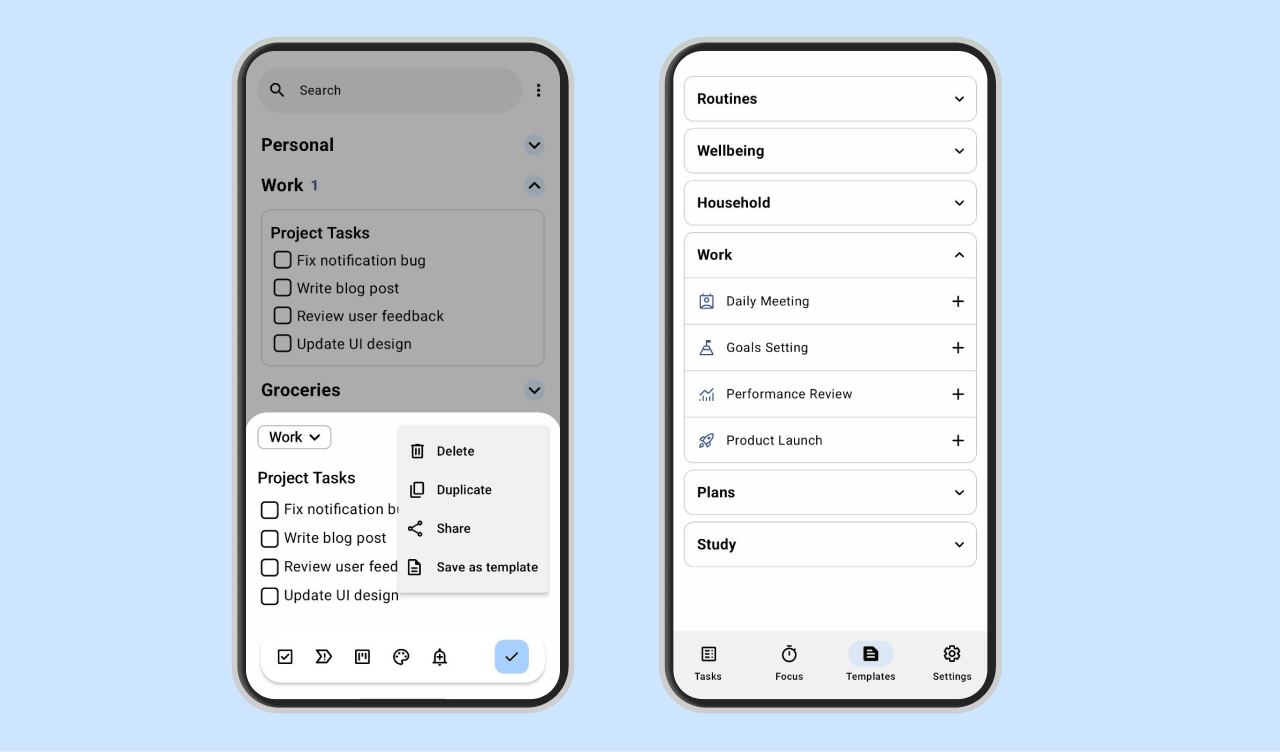
Starting a new project becomes much easier when you already have a structure in place. Planndu includes ready-to-use work templates such as goal setting, daily meetings, and more to help you organize tasks faster and stay focused from the beginning. You can also create your own custom templates and reuse them anytime for recurring workflows or personal routines.
How to Find It: Go to the templates screen to browse and use available templates. If you want to create your own, open the task edit screen, go to the options menu, and select ‘Save as Template.’ Your custom template will then appear in a separate group on the templates screen.
Color Code
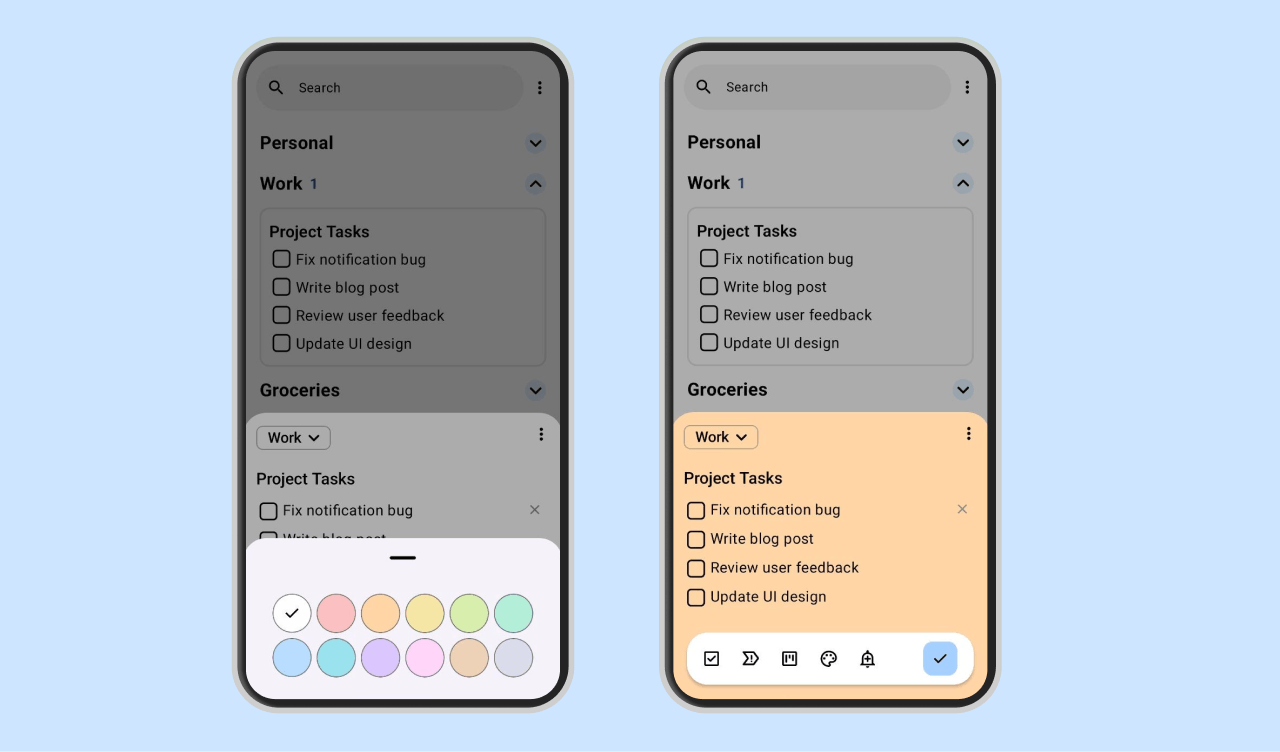
Color coding is a visual aid that can help you quickly identify the type or urgency of tasks. Assign different colors to different projects or priority levels to streamline your workflow. You can use bright colors for high-priority tasks and softer hues for less urgent ones. This visual distinction makes it easier to scan your task list and focus on what needs immediate attention.
How to Find It: While setting up a task, choose the color coding on the bottom bar and select your preferred color from the palette.
Export with QR Code
Our QR feature allows you to share tasks and projects with others.
How to Find It: Go to the settings, select Export, and scan the QR code with the other device. Alternatively, you can manually enter a code.
More Than Just Work Projects
Planndu can also help you organize everyday projects and life plans, such as:
- Birthday parties and casual events
- Weekend trips and travel planning
- Study schedules and exam preparation
- Home organization and moving tasks
- Content planning for social media
- Personal goals and creative side projects
With reminders, priorities, color coding, templates it’s easier to keep everything organized, focused, and manageable without feeling overwhelmed.
Managing small projects effectively requires a blend of organization, focus, and motivation. Planndu offers a comprehensive suite of features to help you achieve this balance. Download Planndu today on App Store and Google Play Store and change the way you manage your small projects!