Have you ever stopped to think about where your daily to-do lists actually live? Every time you plan your week or check off a task, that information is sent across the internet and stored on someone else’s servers. In the best case scenario, only the company behind the app can access it. But servers can be hacked, and your personal data can be exposed. We believe there’s a better, more personal way to manage your schedule.
We built Planndu to work differently by keeping your data completely offline and stored only on your own device. It never leaves your device and no one else can ever access or read it.
When it came to sharing tasks between devices, there was only one approach that met our privacy standards: local-only sharing powered by Peer-to-Peer (P2P) technology. It’s the same approach used in decentralized crypto wallets.
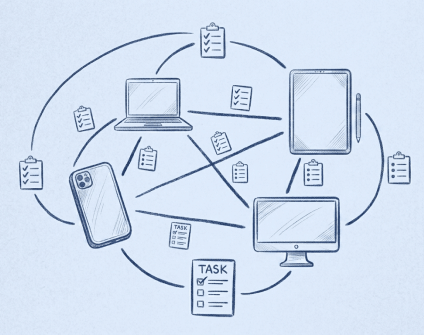
With Share Locally, your devices connect directly to each other, allowing you to choose exactly which tasks to share. Your data is transferred straight between your devices, without ever passing through the cloud or any third-party server.
Some background
P2P isn’t actually a new invention. In fact, the very first version of the internet built in 1969 (called ARPANET) was designed as a P2P network where all connected computers were equal partners. But as the web grew, we traded that equal partnership for convenience, shifting toward the centralized servers and cloud environments we rely on today.
Despite decades of technological progress, the internet is far from secure. Every year, massive data breaches expose the personal information of billions of people. In recent years, incidents such as the breach of National Public Data, which exposed billions of records containing names, Social Security numbers, and addresses, the Ticketmaster breach that affected hundreds of millions of customers, even the largest companies are not immune. These events highlight a simple reality: if data is stored on centralized servers, it can become a target.
The problem is only becoming more severe. As more applications embrace “vibe-coded” development where products are built rapidly with AI-generated code. But when products are built with AI, security is left behind, resulting in critical vulnerabilities shipped en masse. What was once a serious cybersecurity challenge has evolved into a much larger crisis, robust security and privacy no longer optional, but essential.
The benefits of P2P
When you use apps and websites, your data is constantly traveling to a central data center. This doesn’t just expose your information to potential interception, it also forces you to trust an entire chain of strangers from the app’s staff and data center technicians to your internet service provider.
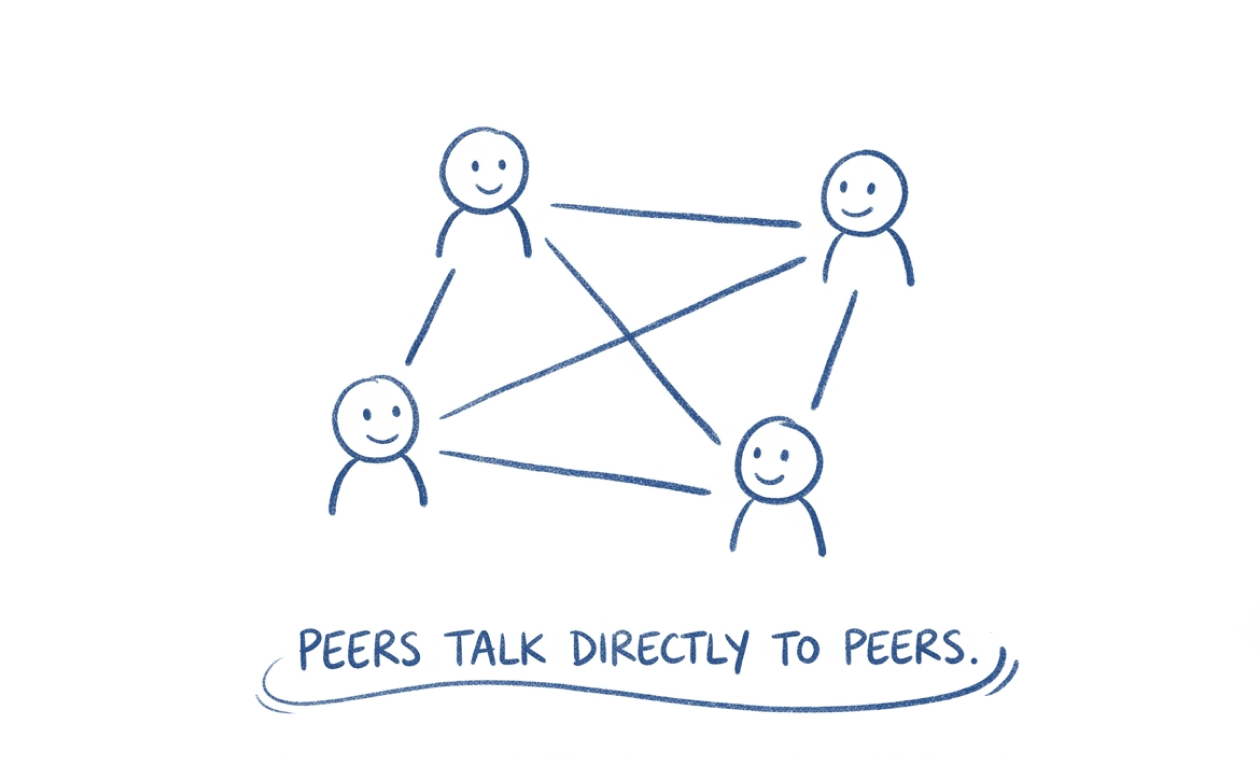
P2P flips this script. By removing the middleman entirely, your data stays strictly private. Here is why that matters for your day-to-day productivity:
- You own your data: With no middleman storing your information, your data cannot be exposed in a breach or scanned for advertising. You retain 100% ownership and control over your files, giving you a complete peace of mind.
- Uninterrupted offline: If your internet drops, most apps grind to a halt. With P2P, your apps keep working seamlessly. Because your data lives locally on your devices rather than a remote server, you can edit, organize, and collaborate on your local network even if you are entirely offline.
- Zero lag time: Instead of uploading a heavy file to the internet just to download it onto a device sitting right next to you, P2P sends it straight across. It’s fast, direct, and doesn’t cost you anything.
Things to keep in mind
Because P2P cuts out the tech companies, it gives you total control. But that also means there is no safety net. Here is what you need to know:
- No “reset password” button: Since there is no central server storing your account details, if you lose your device password or delete your app without making a backup, your data is truly locked away. No customer support can retrieve it for you.
- Learning curve: Standard cloud apps just ask you to type in a username and password. P2P works a little differently because you are connecting devices directly. It might take an extra minute to get used to how it works the first time.
Why we chose P2P
From the very beginning, Planndu was built for personal use with privacy and security as core principles. We wanted an app that could organize our lives without requiring accounts or internet connection.
As Planndu evolved, a new question emerged: How do we collaborate? Whether it’s organizing a family grocery list or even managing tasks with a teammate, sharing is an essential part of staying productive.
At first, we relied on manual workarounds, copying tasks, exporting data, or sending screenshots. While these methods worked, they were slow and inconvenient. It was clear that something is missing.
That led us to an interesting challenge. Because Planndu doesn’t require users to create accounts or log in, we couldn’t rely on the traditional cloud-based approach that most productivity apps use. We needed a solution that preserved our original vision: effortless sharing without sacrificing privacy or forcing users into an account system.
After exploring different technologies and architectures, we found exactly what we were looking for using P2P.
With this feature you choose exactly what you want to share. This is incredibly helpful if you use different devices for different purposes. For example, if your phone is for personal tasks and your computer is strictly for work, you can easily write down a work-related idea on your phone while out, and later share only that specific task to your computer.
How to use P2P in Planndu
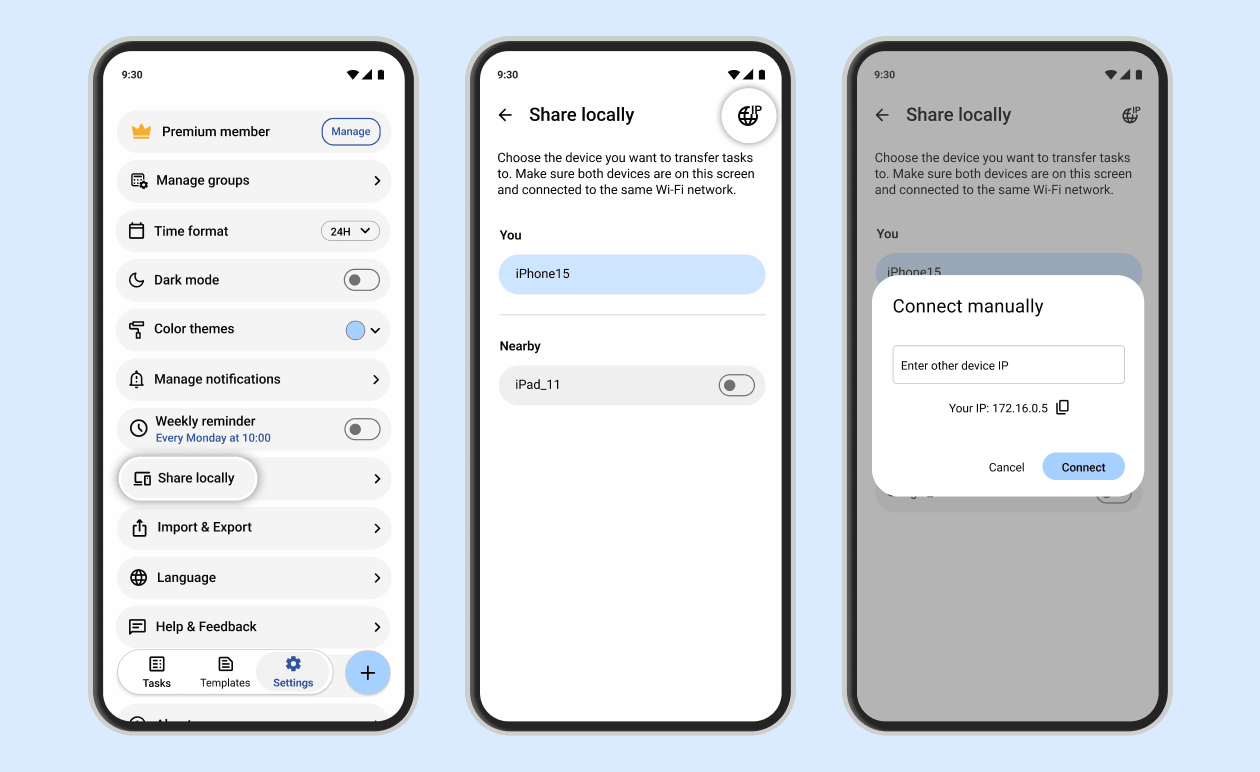
- In Settings, select “Share locally”. This will open a screen where you can see available devices.
- Once the desired device appears, tap on it. A popup will appear showing your tasks, allowing you to select the ones you want to share.
- The receiving device will get a message to accept the incoming tasks. Once accepted, the tasks will instantly appear in their app.
- Alternatively, you can connect manually by clicking the IP icon and entering the receiving device’s IP address.
All devices must be connected to the same Wi-Fi network and have the “Share locally” screen open.
This technology will help you stay organized and collaborate effortlessly without making you wonder where your data is stored, who has access to it, or how it might be used.
We’re putting you back in control of your digital life. Instead of relying on servers to hold your personal information, Planndu enables direct, secure sharing whenever possible, allowing you to decide when, how, and with whom your data is shared.
This philosophy influences every decision we make. Our goal isn’t just to build another productivity app, it’s to build one that respects your privacy and values your trust. Collaboration, and security can coexist. You shouldn’t choose between protecting your data and getting things done and with Planndu, you can have both.
Download Planndu on the App Store or Google Play, and see how smooth task sharing can really be!